Knowing how to write a call to action that converts comes down to one rule: name the result of the click in two to five words, such as "Get my free audit". Vague buttons like "Submit" cost conversions because the reader does not know what happens next.
Why is the CTA your most important copy?
Your headline gets attention, and every other sentence on the page prepares the reader for the CTA. That's where the visitor decides whether to take action or leave. Our guide to SaaS headlines covers the attention half; this one covers the action half.
Most SaaS CTAs are boring. "Submit," "Get Started" and "Learn More" are generic phrases with no urgency and nothing to get excited about. The principles below work for headline-style CTAs, button copy and action language.
What is the psychology behind a CTA?
CTAs work best with urgency
Every CTA asks for an action. The best ones make it urgent.
Weak CTA: "Sign up for our newsletter"
Strong CTA: "Get weekly headline ideas before your next campaign"
The strong CTA has a time component ("before your next campaign") and a specific benefit ("headline ideas").
CTAs work best with specificity
A vague CTA gets a vague response, and a specific one gets a specific action.
Weak CTA: "Download the guide"
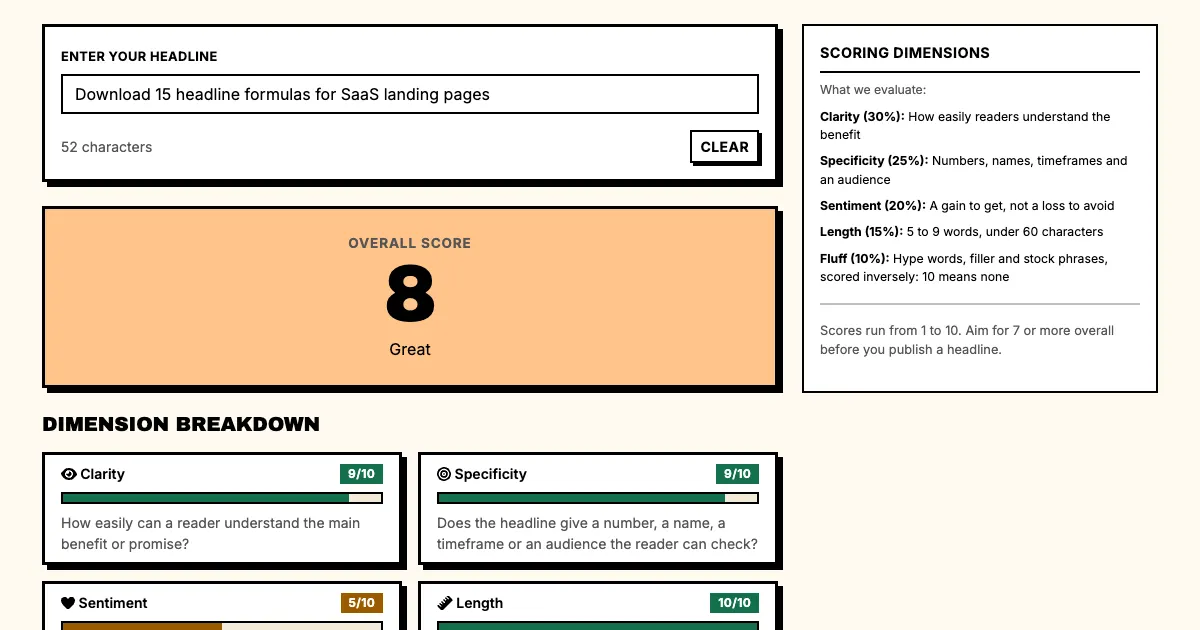
Strong CTA: "Download 15 headline formulas for SaaS landing pages"
The strong CTA tells the reader exactly what they're getting: 15 formulas, written for SaaS landing pages.
CTAs work best with low friction
The easier the action, the more likely it happens, so remove friction from your CTA language.
High friction: "Create an account to access the free trial"
Low friction: "Start your free trial, no credit card required"
"Start your free trial" is easy, and "No credit card required" removes the biggest objection.
What is a headline-style CTA?
A headline-style CTA is a full sentence that makes a specific promise. You'll find them in hero sections and at major conversion points.
Formula: "[Specific outcome]: [how to get it]"
Examples:
- "Cut your churn by 30%: start your free trial today"
- "Generate 20 headlines in 30 seconds: try it free"
- "Finally, headlines that convert. Start for free"
They make a specific promise before they ask for action, so the reader knows what they'll get before deciding.
How do you write button copy?
Button copy is the short phrase on the button itself, typically 2-5 words. Our free CTA generator drafts these phrases for the click you pick, from sign-up to demo request.
Formula: "[Action verb] + [specific outcome]"
Examples:
- "Start Free Trial"
- "Generate Headlines"
- "Cut My Churn"
- "Get My Headlines"
They're direct: the action verb tells the reader what to do, and the outcome tells them what they'll get. If you are choosing software for this, see our comparison of CTA generator tools.
What action language works on forms?
On a form, the button text should match what happens when it's clicked.
Formula: "[Action verb that describes what happens]"
Examples:
- "Create My Account" (not "Submit")
- "Start My Free Trial" (not "Sign Up")
- "Generate My Headlines" (not "Start")
"Create my account" tells the reader what will happen. "Submit" tells them nothing.
Which call to action formula fits each use case?
For free trials
Formula: "[Start/Get/Try] + [your trial offer] + [no friction element]"
Example: "Start your 14-day free trial, no credit card required"
For lead magnets
Formula: "[Get/Grab/Download] + [specific resource] + [reason to act now]"
Example: "Get the 15 headline formulas before your next launch"
For demo requests
Formula: "[Book/Schedule/See] + [specific outcome] + [time component]"
Example: "Book a 20-minute demo and see your churn improve"
The headline above the button matters as much here; see these demo request headlines for examples.
For newsletter signups
Formula: "[Get/Receive] + [specific value] + [frequency]"
Example: "Get weekly headline ideas every Tuesday morning"
What are the common CTA mistakes?
Mistake 1: Vague action language
"Submit," "Click Here" and "Sign Up" tell the reader what to do but not what they'll get.
Mistake 2: Forgetting the friction remover
Every CTA has friction, so put the friction remover (free trial, no credit card, cancel anytime) right next to it. This matters most on a SaaS pricing page, where the visitor is closest to paying.
Mistake 3: No urgency
"Get Started" has no urgency; "Start Before Your Next Campaign" does. Make the urgency real by tying the action to a real deadline.
Mistake 4: Too many CTAs
Every page should have one primary CTA. When there are three, the visitor doesn't know what to do.
How do you test CTAs?
Test your CTAs the same way you test headlines. For an A/B test, split traffic 50/50, send variation A to one half and variation B to the other, and use the winner. For sample size and the mistakes that void a result, see our framework for A/B testing headlines.
What to test:
- Vague vs. specific
- Question vs. statement
- With urgency vs. without
- Short vs. long
- One CTA vs. two CTAs
FAQ: CTAs
Q: Should CTAs be first-person ("Get My Headlines") or second-person ("Get Headlines")?
A: First-person CTAs ("Get My Headlines") create a sense of ownership, and second-person CTAs ("Get Headlines") are more direct. Test both.
Q: How many words should a CTA be?
A: 2-5 words on a button, a full sentence for a headline-style CTA. The shorter the CTA, the clearer it has to be.
Q: Should I use "Free" in my CTA?
A: Yes, if it's accurate. "Free" removes friction, but if your free trial has significant limitations, the word can leave people disappointed.
Q: How often should I update my CTAs?
A: Review them quarterly. CTA fatigue sets in, so if a CTA has been running for six months, test a replacement.
What should you do now?
- Find your primary CTA.
- Score it on specificity, urgency, and friction removal.
- Rewrite using the formulas in this guide.
- A/B test your rewritten CTA against your original.
- Track conversion rate changes.
Sources
Generate CTA copy alongside headlines. Try Punchd's CTA Copy Generator: create action language that converts.